Friday, January 31, 2020

About My Profitland

          My Profitland is an economy-based game like real life. Many professions you can choose there, you can be a worker, businessman, fighters, and many more things to get virtual euro in this game, and the virtual euro can withdraw into real money.
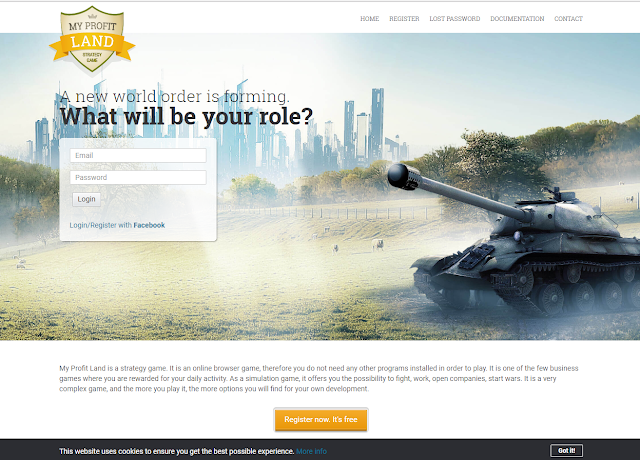
To register in this game is not difficult, you just provide email and phone number for verification. Click here to register, You will see the web page as shown below

 MPL Home

           Click Register now, its free orange button and you will see the register form like this

 MPL Register

          Enter your email, password and confirm password, then click register. Check your email and follow the instructions on the email. Enter your username, your real name, your real nationality, and choose what virtual country you want to start this game.
ok, step 1 verification is successful!
          Step 2 verification is phone number, go to setting on right top of the site (blue button with white gear). click Account verification. enter your mobile phone and click save. the game will show you a phone number you need to call with your phone, but dont worry you will not be charge, just call and game will read your phone and you get full verification and you can open free utilities companies.

Video Tutorial


Share:

Thursday, January 30, 2020

My Profit Land - Basic Knowledge


1. Server Time : Your guide to being on time when selling medal, hit for last hit for gold, etc.
2. Search Box : For searching player, companies, countries, regions, etc.
3. Income : To see your latest income.
4. Alert : To see latest alert, like companies alert when sold goods, mv alert when get attacked or attacked other enemy mvs, CIA alert, etc.
5. Message : Your inbox.
6. Latest Company : To go to the last company you manage.
7. Note : For your personal note.
8. Setting : Setting up your account.
9. Logout : Logout from game.
10. Home : Home of your current location.
11. Activities : List of activities that can be done in the game.
12. Market : To go to market, global market, local market, medal market, etc.
13. Kosovo : Yout current country menus. (the button name depends of your current citizenship).
14. Organization : Organization menu, to see list of local organization, global organization, and menu to control your current organization.
15. Partner : Partner menu. You can buy share there, show current income, etc.
16. Ranking : To see players and country ranking.
17. Community : Community menu, like war fund, global market fund, latest citizens, etc.
18. Your account name.
19. Your current country location.
20. War button : The button will appear if you are in war location.
21. Your current region location.
22. Your current country : Click on that to see your country profile.
23. Your current region : Click on that to see the region profile and menu.
24. Current available job on your current region.
25. Change Region button : To travelling to another region.
26. Join button : Join My Profit Land Discord server.
27. Current war in your current country location.
28. Your real estate status
29. Rent : To navigate to rent real estate list on you current country location.
30. Buy : To navigate to buy real estate list  on you current country location.
31. Select another country to see home of another country and current war on another country.
32. Your friends list
33. To navigate to complete list of your friends.
34. Latest global shouts.
35. Latest local shouts.
36. Latest news paper on your current country location.
37. To go to offer page.
38. Your energy.
39. Your XP.
40. Your euro balance.
41. Your gold balance.
42. To go to financial market.
43. Your local currency balance (show the local currency where your current country location).
44. To go to your companies list and menu.
45. To go to your inventory list.
46. To go to your vehicles list and menu.
47. To see all of your currency balance.
48. To see your weapons info.
49. To see your clothings info.
50. To go to your real estate list and menu.
51. To go to your refferal list and menu.
52. To go to your medal list and menu, also to navigate to selling medal.
53. To see the newspaper that you have bought.
54. To see your region list and menu.


55. To load your account.
56. To withdraw your account balance to real money.
57. Work bonus on your country.
58. Recruit bonus on your country.
59. Army wage on your country.
60 Minimum wage on your country.
61. Region bonus on your country.
62. Infrastructure on your country.
63. To make a global shout, the cost is 2 gold.

Share:

NEW UPDATE..!!! HOW TO SELL MEDAL TO WAR FUND - My Profit Land

The game has been updated for how to sell medal to war fund, but don't worry, i also update my guide.

Ok lets go to the guide..!!!

Selling medal to war fund can only be done if there is a selling medal session. The selling medal session is time to queue up our medals to sell to war fund. The time is random, but usually between minutes XX:27-XX:30 and XX:57-XX:30. So keep refresh the war fund page at that time.

To find out when selling medal session time, there is an indicator there is an indicator (red dot) at the right of the euro or gold amount (look picture below).

If you see the red dot like on the picture above, it mean is time selling medal session, so you can queue your medal to sell to war fund. But keep in mind, every player who has queued up his medal for sale is not 100% successful sold.

To sell medal is same like before, go to My Medal and select the medal that you want to queue, input the captcha and click the Sell Medal button. (captcha only comes out if there is a selling medal session).


Video Tutorial


Share:

Proof of payment from My Profit Land

If you are an investor, try investing in My Profit Land. there are many options for managing your money. for the long term, you can invest in share and recruit. Also you can buy some companies there, or invest for capital to participate in war.
Don't worry about your money, until now August, 5th 2018 this game still paying the players. Withdrawals are taxed a 20% fee from the amount you withdraw, this fee will be paid to the Partners Fund. All withdrawals are paid by game resellers.


  • The minimum amount to withdraw is 20 Euro.
  • The time it takes for the payment to be made is dependent on game resellers needs.
  • The game administration helps with Neteller payments, if you want a speedy payment, choose Neteller

  • My proof of payment from My Profit Land


    UPDATE

    MY LATEST WITHDRAWAL

    October 16, 2018


    October 29, 2018


    November 2, 2018


    November 8, 2018


    November 22, 2018 


    December 25, 2018 


    December 29, 2018 


    January 22, 2019


    February 18, 2019


    February 26, 2019


    March 1, 2019
    Unboxing Samsung Galaxy A7 2018 that I bought using the money from payment of My Profit Land.
    good luck to all of you who play My Profit Land..!!!


    March 10, 2019


    April 03, 2019


    April 15, 2019


    August 25, 2019

    Sept 30, 2019


    May 10, 2020


    June 15, 2020


    October 10, 2020


    December 17, 2020


    Share:

    My Profitland Newbie Guide (Worker)

              For those of you who just play this game, I suggest to read Terms and conditions first. you must follow the rule in this game, because this game is real money game.
              If you are an investor, you can skip this guide, but there is nothing wrong you also read it as well, because this basic activity in this game.
              After you have completed the registration and verification process, click the activity and workplace, as shown below.


     Work

              Then click the work button at the top of the company. 
              Work in mpl takes 4 hours for 1 shift, and you can work for 3 shifts a day. In the beginning, work twice each day. After 3 days, you will get the government work bonus, and you can use the homeless shelter which will give you 10 % energy for free. Do not buy any energy products, including mansions. The cost increase of the energy will not pay off. An exception to the rule is the every 3rd day, just before the government bonus - then buy a great wine.
              If you work twice / day, your Economic score (ES) will raise by 1 point each day. If you work once, it will stay the same. If you don't work, it will fall by 1 point each day. 100 is maximum.
              After a month or so, when you raise your ES to at least 30-40,and you have time to login more times each day, you can start thinking about overshifts which by now should pay off, depending on the wages. After 50 Economic score, you are pretty sure they will pay off.  Again , buy energy only just enough to cross the 55 % minimum that is needed to enable overshifts. Work Calculation here.

    Video Tutorial


    Share:

    My Profitland - Work Calculator

    Work Calculator By torngabeng

    Energy :

    Economic Score :

    Skill :

    Organization Bonus :

    Region POI Bonus :

    Personal Income Tax :

    Recruiter Tax :

    Wage :

    Country Work Bonus :

    Consumed Food:
    Beer Price :


    Wine Price :


    Your Profit :        with       Productivity : 

    Your Average Work Bonus in 3 Days


    Share:

    Wednesday, January 29, 2020

    How To Open and Managing Utilities Company in My Profit Land

    If you follow our tutorial for register in My Profitland game, and You've done 2 step verification, you can open a free company. you can choose one between 2 free companies (A player can own only 1 utility company).


    1. Solar Panel Farm  
      The Solar Panel Farm produces electricity, it requires no raw materials and the production is automated. Electricity is needed by companies in order to work.
    2. Water Well Drilling
      The Water Well Drilling produces water, it requires no raw materials and the production is automated. Water is needed by companies in order to work


    You do not need a workforce for that company, you just need to  store production in inventory everyday, and sell the products in  market.

    to open companies, go to My Companies, then click button Start a new Company, and choose as you wish.

    for example my Water Well Drilling

    to store production in inventory, go to My Companies > Management


     My Companies


    then in pop up window click Water Well and then click button Store Production in inventory

     Water Well


    to sell your water go to Inventory > Orders  Market, you can choose to who you will sell your water in Buy orders table. Enter how many water to sell and then hit button Sell.

     Water Orders

    PS: When selling this product, make sure you set a high enough price so you can renew your production license later (1 Euro), you must take into account that when withdrawing gold from the company, you will pay a tax to the country and to your recruiter. Normally, you should sell for at least 0.20 gold each unit

    Video Tutorial


    Share: